Part 5
Accessibility
Built in, for different kinds of readers:
- For keyboard users: a "Skip to content" link, arrow-key Previous/Next on guide pages, and wide tables you can reach with Tab
- For screen reader users: one page title per page (kept even when hidden), labelled page regions and links, and titled embeds – Open Course Hub also announces the current section and open or closed accordions
- For everyone: comfortable line lengths and text size on guide pages, light and dark modes, and clean printed pages
- For privacy: content stays on a site you control, with no third-party tracking (Grav's own page view counts stay on the site too), and Keep My Place remembers a reader's place in their own browser only
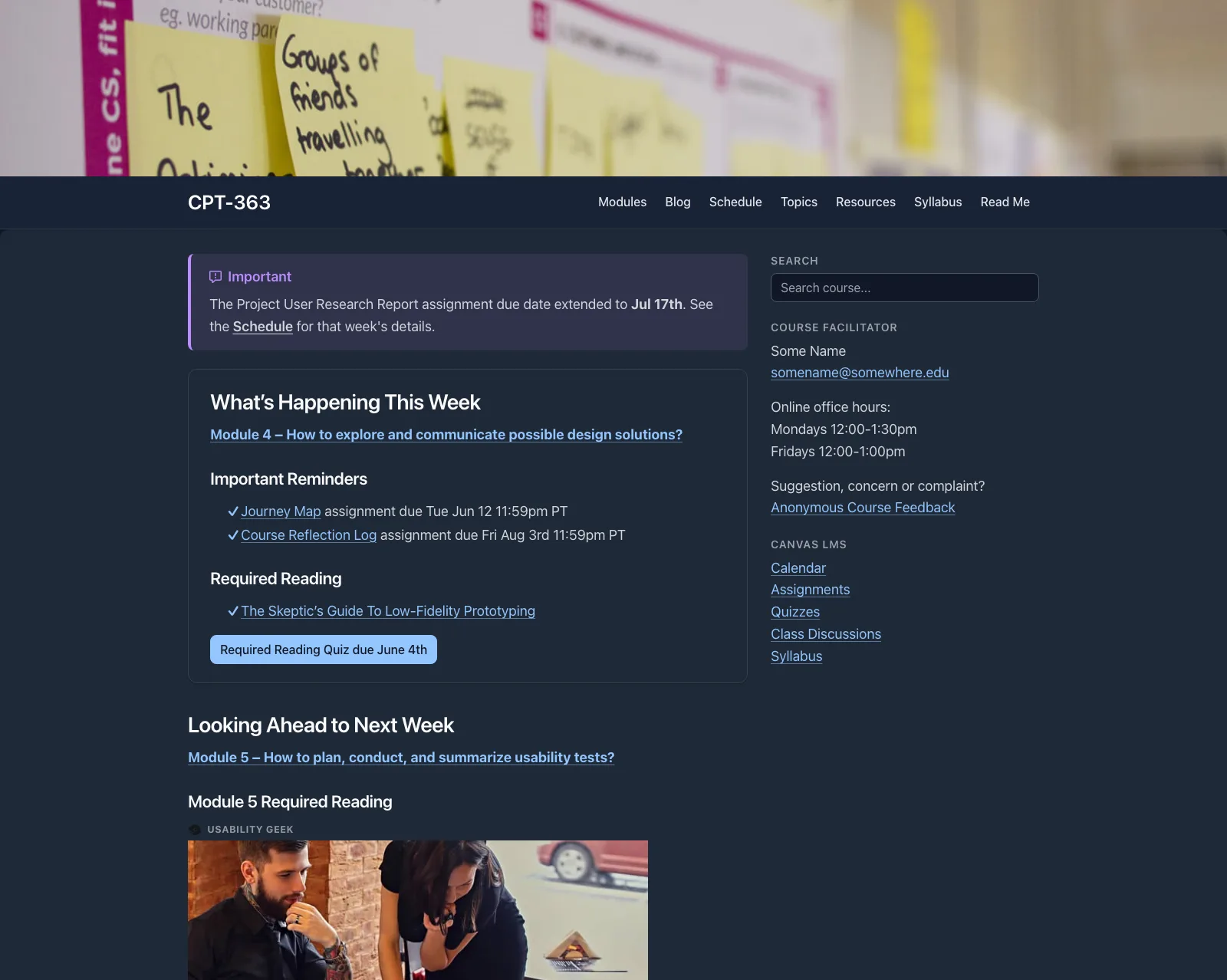
Open Course Hub in dark mode
Accessibility also depends on the content itself – headings, alt text and link text are up to the author.
This work by Paul Hibbitts is licensed under CC BY 4.0. Cover photo by chris robert on Unsplash.